Syqei for Schools

One-lesson technology missions for extension and careers programs.

Built from real research for extension and gifted classes, careers and pathways, and Digital Technologies. Runs in the browser in 50 to 60 minutes. No student accounts. 48 of 51 students in our first pilot liked or loved it.

Everything a school needs to know.

The format, who it's for and what you need, in one list.

Format
A browser mission your teacher runs from one class link. Students work on their own laptops, with a short class discussion at the start and a share at the end.
Lesson length
One 50 to 60 minute lesson. The guide marks what to cut for 45 minutes. Optional coding levels stretch it to a second lesson.
Year levels
Written for Years 9 to 12. Mapped to Digital Technologies in Years 9 and 10.
What students make
A labelled dataset, an illusion design of their own and a field file they download and keep.
Equipment
A laptop or Chromebook per student with a modern browser, internet that can reach syqei.com, and a projector. Nothing to install. A lite mode switches off 3D for older devices.
For teachers
A teacher guide with a minute by minute run sheet, questions to ask and an answer guide. Plus a device check, curriculum notes, a careers library and an onboarding call.
Curriculum fit
Digital Technologies Years 9 and 10, extension and gifted programs, and careers and pathways. Also Science and STEM electives. See the details
Accessibility
Read aloud on every step, keyboard support, a non-3D option and captions on the researcher video.

Where Syqei fits best.

All four teachers who gave feedback at our October school sessions placed it in extension or gifted programs. Three also placed it in careers.

Extension and gifted

A real research problem with no single right answer. Students design, test and improve their own solution, and fast finishers go further with optional coding levels. It runs as a one-off enrichment lesson or inside an extension program.

Careers and pathways

Every mission ends with the real jobs behind the tools students just used. Mission 001 leads to four careers, and only one is mainly about code. Open the careers library

Digital Technologies

How computers represent and process images, following and changing an algorithm, and testing a solution. Written for Years 9 and 10. See curriculum fit

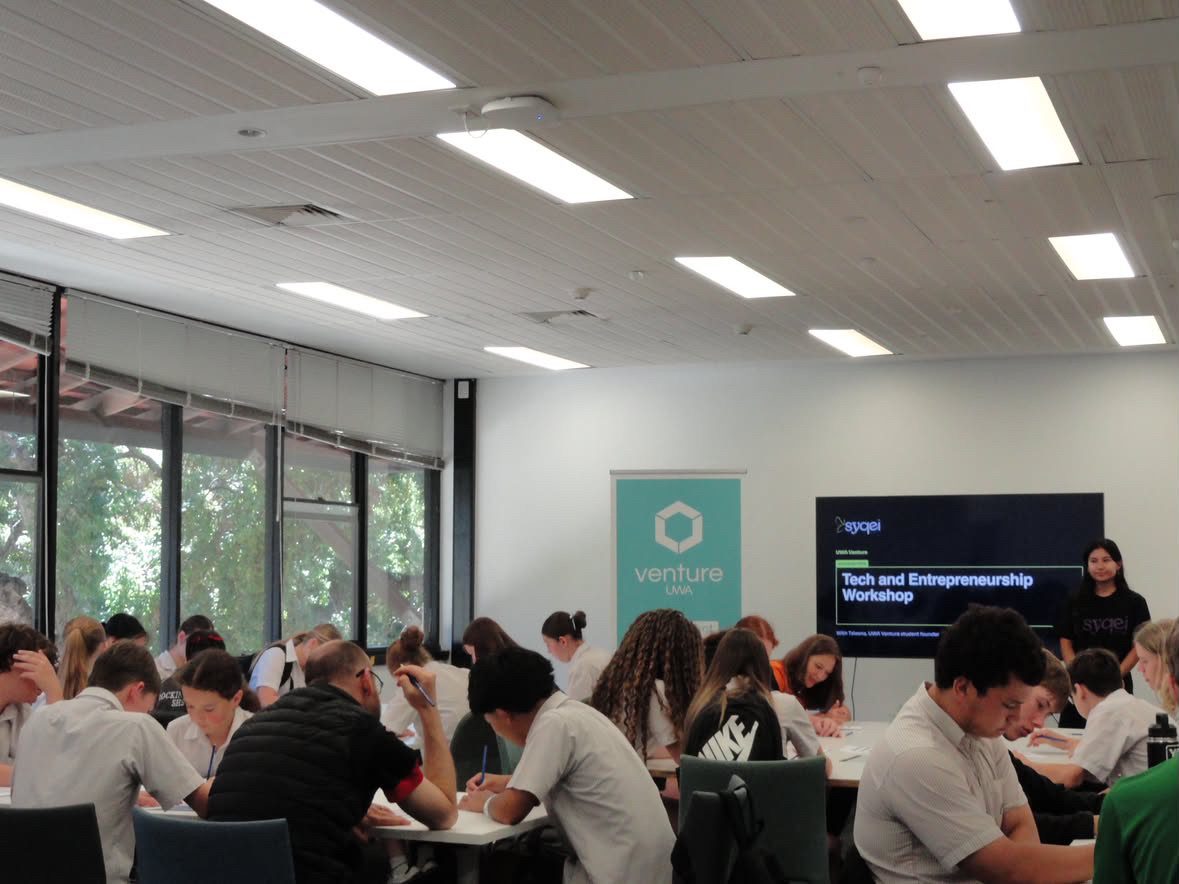
A room of Year 9 students working at tables during a Syqei session, with Taleena at the front beside a screen.
Year 9 students from four WA schools have taken on a Syqei mission since September. This session ran at UWA in October 2026.

What will my students actually do?

  • Work on a real research problem, introduced by the scientists
  • Use tools and techniques like computer vision, 3D and code
  • Design something of their own and test it
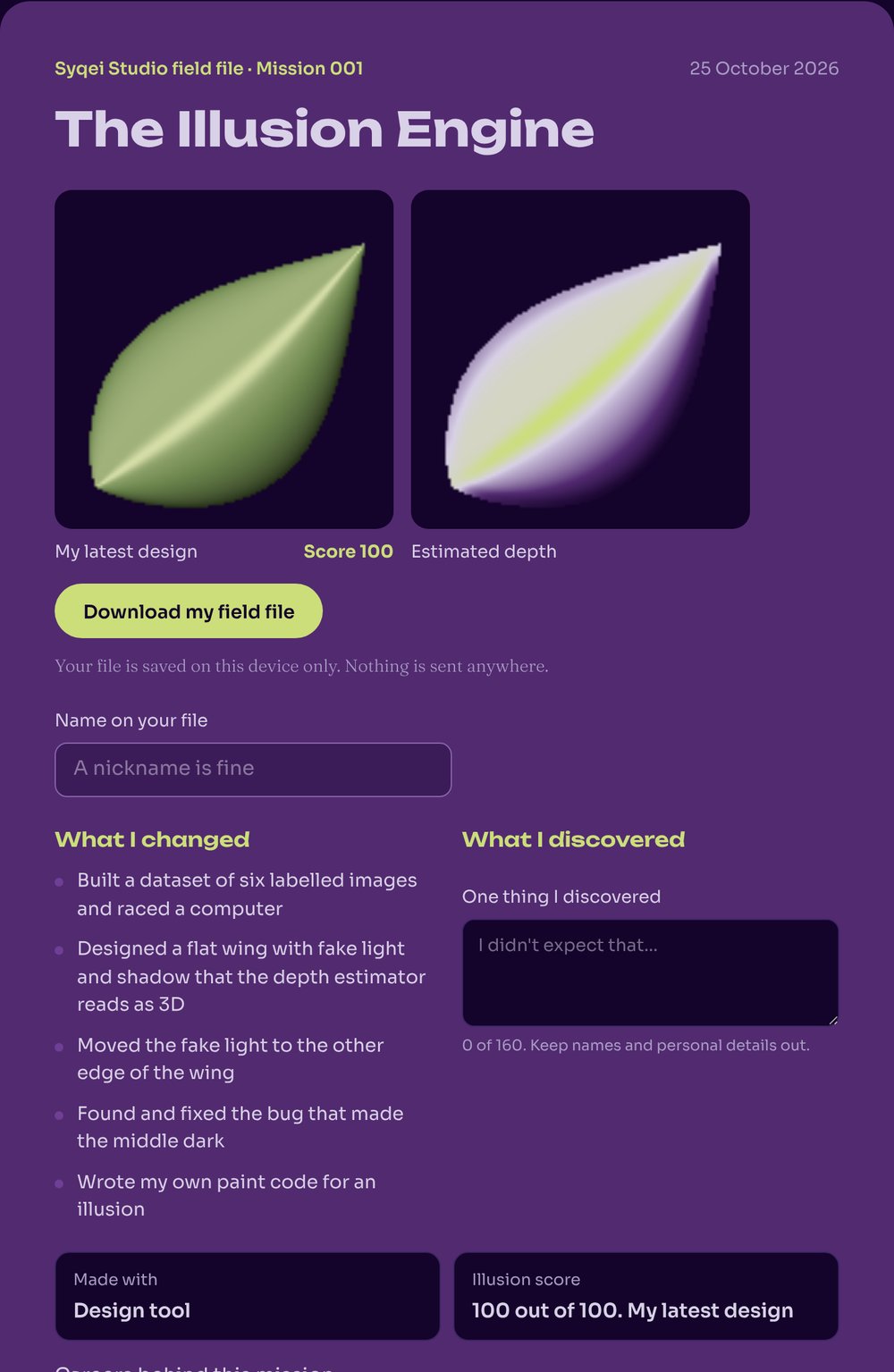
  • Download a field file of what they made and what they can now do
  • See the careers that use these tools for real
An example field file from Mission 001, with the student's illusion design, its estimated depth map and what they changed.
SpecimenAn example field file. Every student downloads one at the end.SQ-001.F

What does my teacher have to do?

Read a five minute guide, open one class link and follow the run sheet. No tech background needed.

Could you run this tomorrow?

Tick what you have. Nothing is sent anywhere.

0 of 5 ticked.

Mission 001 run sheet50 to 60 minutes

  1. 0 to 5

    Hook

    Show the wing on screen. The class votes. 3D or flat? Don't reveal yet.

  2. 5 to 20

    Discover

    Students hunt for hidden moths, race the computer and meet the researchers.

    Ask. Where was the computer faster than you? Where did camouflage beat it?

  3. 20 to 32

    Experiment

    Students spin the 3D wing and find the painted tricks.

    Ask. How can something flat look curved?

  4. 32 to 45

    Create

    Demo one slider on the display. Students design their own illusion and save a version they like.

  5. 45 to 50

    Keep

    Students finish their field file. Two or three show theirs to the class.

An excerpt from the Mission 001 teacher guide. Times are in minutes. Open the full guide

Check the curriculum fit and your devices.

Where Mission 001 fits

A guide, not a formal curriculum mapping. We're happy to map it to your program.

Extension and gifted programs
An open-ended design challenge on a real research problem, with optional coding levels for students who want to go further.
Digital Technologies, Years 9 and 10
How computers represent and process images. Following and changing an algorithm. Testing and evaluating a solution.
Science, Years 9 and 10
Camouflage as an adaptation. How light and shadow carry information about shape.
Careers and STEM programs
Four real careers linked to what students just did, with the skills each one uses.

Pilot results

48 of 51
students who rated the session liked or loved it
3 to 31
students who said they know quite a lot about tech careers, before and after
52
Year 9 students from two Perth schools, September 2026
How we measured this

Safety and privacy, in one place.

What your principal, business manager or IT lead will want to know before you book.

  • No student accounts, names or emails. Students open one class link.
  • Nothing students make is uploaded. Their work stays on their own device.
  • We never sell or share information. No ads and no advertising trackers in the mission app.
  • No generative AI. The detector is a classic algorithm that learns nothing from students.
  • Anyone from Syqei in your classroom holds a current WA Working with Children Check.
  • Public liability insurance, with the certificate sent when you book.
  • We're working through the ST4S Readiness Check for the mission app.
  • If something goes wrong, we reply within one business day.

What does it cost and what happens next?

For schools

Start with one class this term, or choose year levels for 2027

A$20 per student, per year

A class of 25 is A$500. A year group of 120 is A$2,400. Minimum one class of 20.

  • Every mission released that year, for every class you choose
  • Mission 001 now, and at least two new missions during 2027
  • A teacher pack and class link for every mission
  • Onboarding with the founder, plus optional in-person support for your first lesson in Perth
  • A student feedback survey and a completion summary each term

For parents

For students whose school doesn't have Syqei yet, and homeschool families

A$49 per student, for the whole year

Opening for 2027. Join the waitlist and we'll email you when it opens.

  • Every mission released in 2027
  • A home link for your teenager. No student account, only your email
  • A short parent guide for each mission
  • The real careers behind every mission

Join the parent waitlist

  1. Send a request

    Tell us your year levels, class sizes and timing.

  2. Confirm numbers

    We reply within two business days and confirm your dates and student numbers.

  3. We set you up

    An onboarding call, the teacher pack, class links and a device check.

  4. Run it and see results

    Your teacher runs the lesson. You get a short results report.

Questions schools ask.

Do students need accounts or emails?

No. Students open one class link. There are no logins, and progress saves in the browser on their own device.

What devices does it work on?

Recent Chrome, Edge, Safari and Firefox on laptops and Chromebooks. Phones and tablets work but a laptop is more comfortable. Open the device check on one student laptop to be sure.

Where does it fit in the curriculum?

It suits extension and gifted programs, careers programs and Digital Technologies in Years 9 and 10. It also works in Science and STEM electives. See where it fits. We can map it to your program on request.

What data do you collect about students?

No names, emails or accounts. Nothing students make is uploaded. Read the student app privacy notice.

Can a teacher run it without you?

Yes. That's the point. The teacher guide has a minute-by-minute run sheet, questions to ask and an answer guide. Founding schools in Perth can also have us there for the first lesson.

How does payment work?

Schools pay A$20 per student, per year, for every mission. We confirm the number of students first, then invoice after your class has used it. School purchase orders are fine. If a student's school doesn't have Syqei yet, or they're homeschooled, parents will be able to buy home access for A$49 per student for 2027.

What if it doesn't work on the day?

If something on our side stops the lesson running, we reschedule it at no cost.

Do you work with programs outside school?

Yes. Holiday programs, tutoring centres and clubs can license missions for their groups. Tell us about your program.

Enquire about a school pilot.

Tell us your year levels, class sizes and when you'd like to run it. Taleena replies within two business days.

Prefer email? Write to hello@syqei.com.

We only use these details to reply to you. See our privacy policy.